
Automatic background refresh cadence
Codex-only. Local-first. Fast to scan.
Track live Codex quotas and switch accounts without friction.
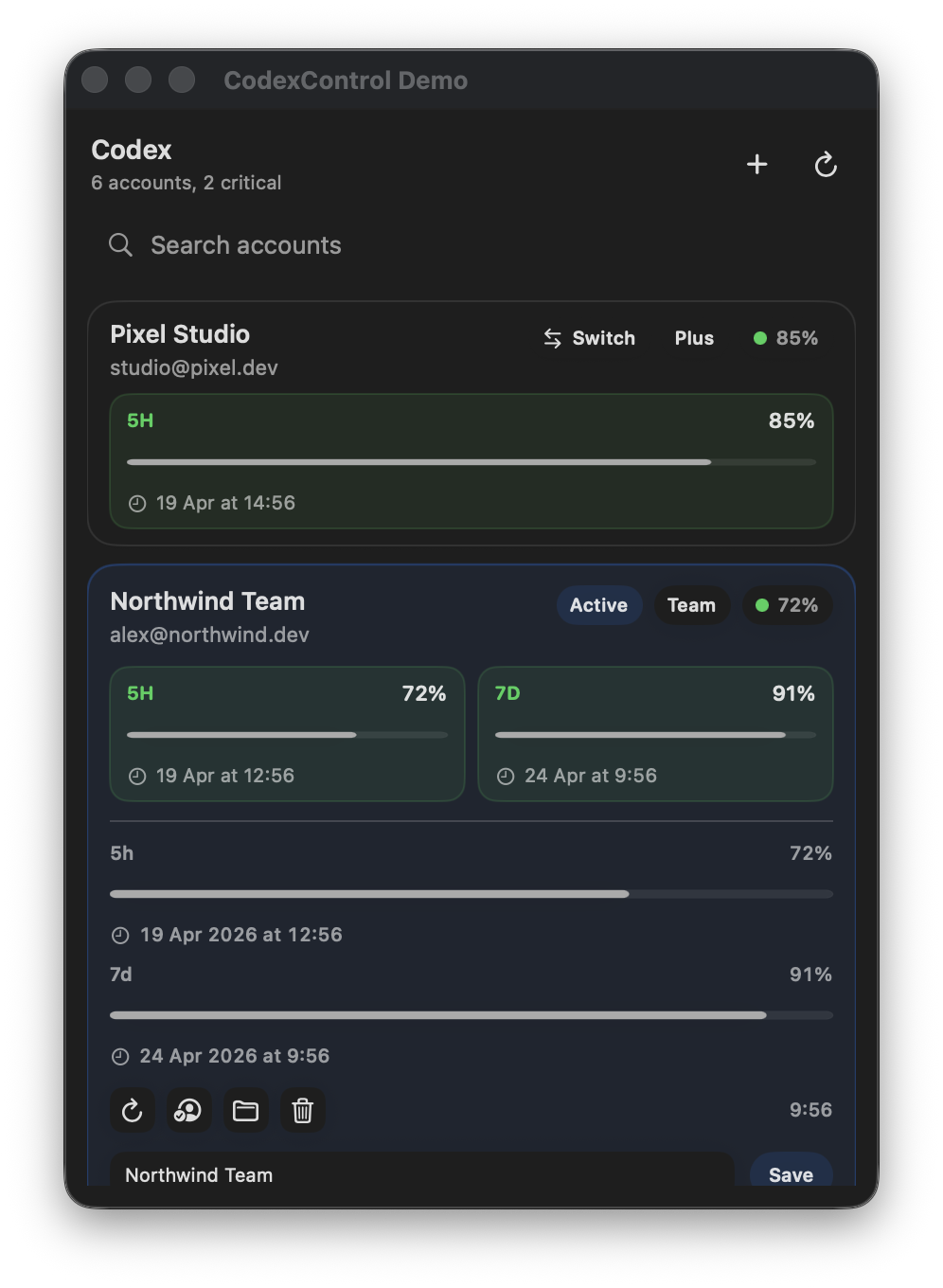
CodexControl gives macOS and Windows users a cleaner way to manage multiple Codex accounts. It reads live quota windows directly, shows exact reset times, and lets you move between accounts without losing track of what is actually usable.
- Live readsDirect quota windows from OpenAI
- Exact resets5-hour and 7-day refill times
- Fast switchingChange the active local Codex identity
Usable now
Quota-first account sorting
Reset windows
5h and 7d shown independently
Native macOS app and Windows tray app
Auth state and snapshots stay on-device
Install
Get the app with one command
The recommended macOS path is Homebrew. Direct GitHub release downloads stay available if you prefer manual installation.
Homebrew
brew install --cask ademisler/tap/codexcontrol
Direct Release
Core capabilities
Built for practical Codex account operations
The product is intentionally narrow: accurate quota visibility, clear reset windows, and reliable local account switching.
Live quota windows
Reads quota state directly from OpenAI using each account’s local auth data instead of scraping dashboards or estimating usage.
5-hour and 7-day tracking
Team and paid account windows stay separated, so a depleted short window does not corrupt the weekly view.
Exact reset timing
Every window shows its next refill time. Sorting favors accounts you can use now, then those that recover the soonest.
Active account switching
Switches the local Codex identity and restarts the desktop app on macOS so the new session becomes effective immediately.
Minimal overhead
No browser-resident quota loop, no multi-provider sprawl, and no unnecessary background surface area.
Local-first by default
Tokens, account homes, and snapshots stay on your machine. Public repository assets use demo data only.
How it works
One workflow, optimized for clarity
Load local account homes
CodexControl reads the account homes you manage on the device.
Refresh auth if required
It uses the local auth state and refreshes tokens when a live read needs it.
Query real quota state
Quota windows are normalized conservatively so weekly and short windows remain accurate.
Prioritize usable accounts
The list keeps immediately usable accounts on top and pushes blocked accounts below them.
FAQ
Technical questions that matter in daily use
How accurate are CodexControl quota readings?
CodexControl reads quota windows from the authenticated local OpenAI account state that your Codex client already uses. It keeps short and weekly windows independent, avoids browser dashboard scraping, and refreshes live state on schedule as well as on manual refresh.
Why can the 5-hour window be empty while the 7-day window still has quota?
Paid and team accounts can expose multiple quota windows at the same time. A 5-hour window can be exhausted even while the 7-day window still has remaining capacity. CodexControl models those windows separately so the weekly state stays accurate.
What exactly happens when I switch accounts?
On macOS, CodexControl switches the active local Codex identity and restarts the desktop app so the new account becomes effective immediately. On Windows, the tray app updates the active local account state for the installed Codex environment.
Does CodexControl upload tokens, account homes, or stored snapshots?
No. The app is local-first. Auth data, managed account homes, and stored snapshots remain on the device. Public screenshots and website assets use demo data only.
How often does the app refresh quota data?
CodexControl refreshes quota state automatically every five minutes and also supports a manual refresh path when you want the newest available state immediately.
Which platforms are supported today?
The project ships a native macOS menu bar application and a Windows tray application, both focused on live Codex quota tracking and local account switching.